
Get the Windows app.
Open the Microsoft Store listing, review the current system requirements, and install FREE EDITION.
Big possibilities. Zero price tag.
Useful AI should be within reach. Buildroom FREE 1.8.5 combines local model choices, repository work, review, verification receipts, and early Autopilot workflows on compatible Windows hardware.
A practical way into AI coding, whether you are learning your way around or know exactly what you need.
Open the Microsoft Store listing, review the current system requirements, and install FREE EDITION.
Follow the app’s first-run setup and initial model download. Your machine does the local AI work.
Ask about some code, draft a small script, or work through an error. Review the answer and test anything you plan to run.
Start with the current Store requirements. Available RAM, processor, graphics hardware, model choice, and task size all matter. We are not promising that 7B or 8B will run comfortably on every PC.
3B, 4B, 7B, and 8B are included in FREE EDITION 1.8.5. Read the update.
This supplied FREE EDITION capture shows the product introducing local use in plain language, asking how the person wants explanations delivered, accepting a project, and returning a visible receipt instead of pretending a non-repository is ready to commit.
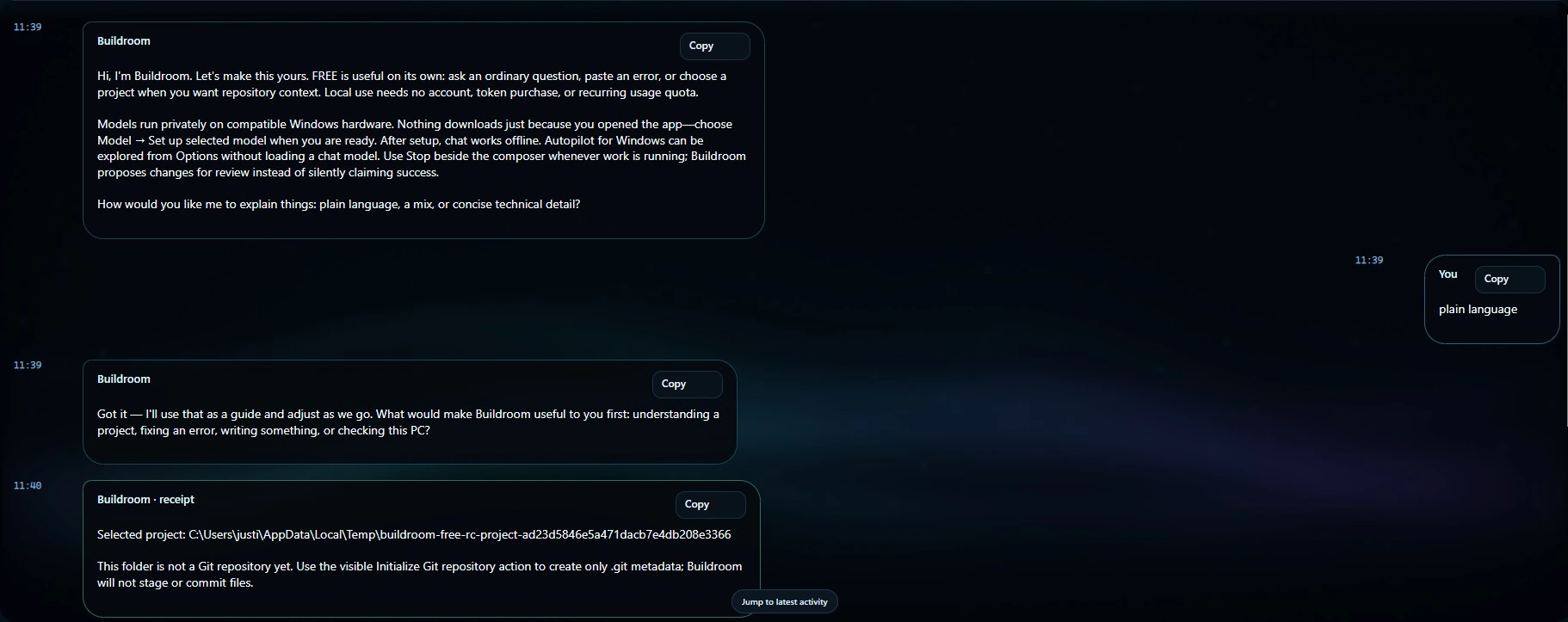
The welcome explains local setup and asks how detailed the answers should be.
The person chooses when to set up a model and when to bring in a project.
A non-Git folder is identified as a non-Git folder, with the next visible action explained.
You do not need a grand plan. Start with a question, a small project, or that one task you keep putting off.
Make unfamiliar projects a little less intimidating. Ask what a function does and why it works.
Explain this function in plain English. Walk me through the inputs, outputs, and possible edge cases.
Turn a repetitive job into a practical starting point. Read and test the result before running it.
Help me draft a PowerShell script that lists files by size. Start with a read-only version.
Give that idea a first shape: a simple page, a small component, or a front-end scaffold.
Help me create a simple HTML and CSS landing page for a local business. Keep the code easy to edit.
Bring a confusing error, log, or configuration. Ask better questions and find your next step.
Explain this error, identify the likely causes, and suggest the smallest safe check to try first.
Starter ideas, not guaranteed results. Review generated code and test changes before using them. Model availability and performance depend on your hardware and installed release.
These campaign graphics approach the same question from different angles: subscriptions, familiar coding products, free agentic apps, and the wider AI-tool landscape.
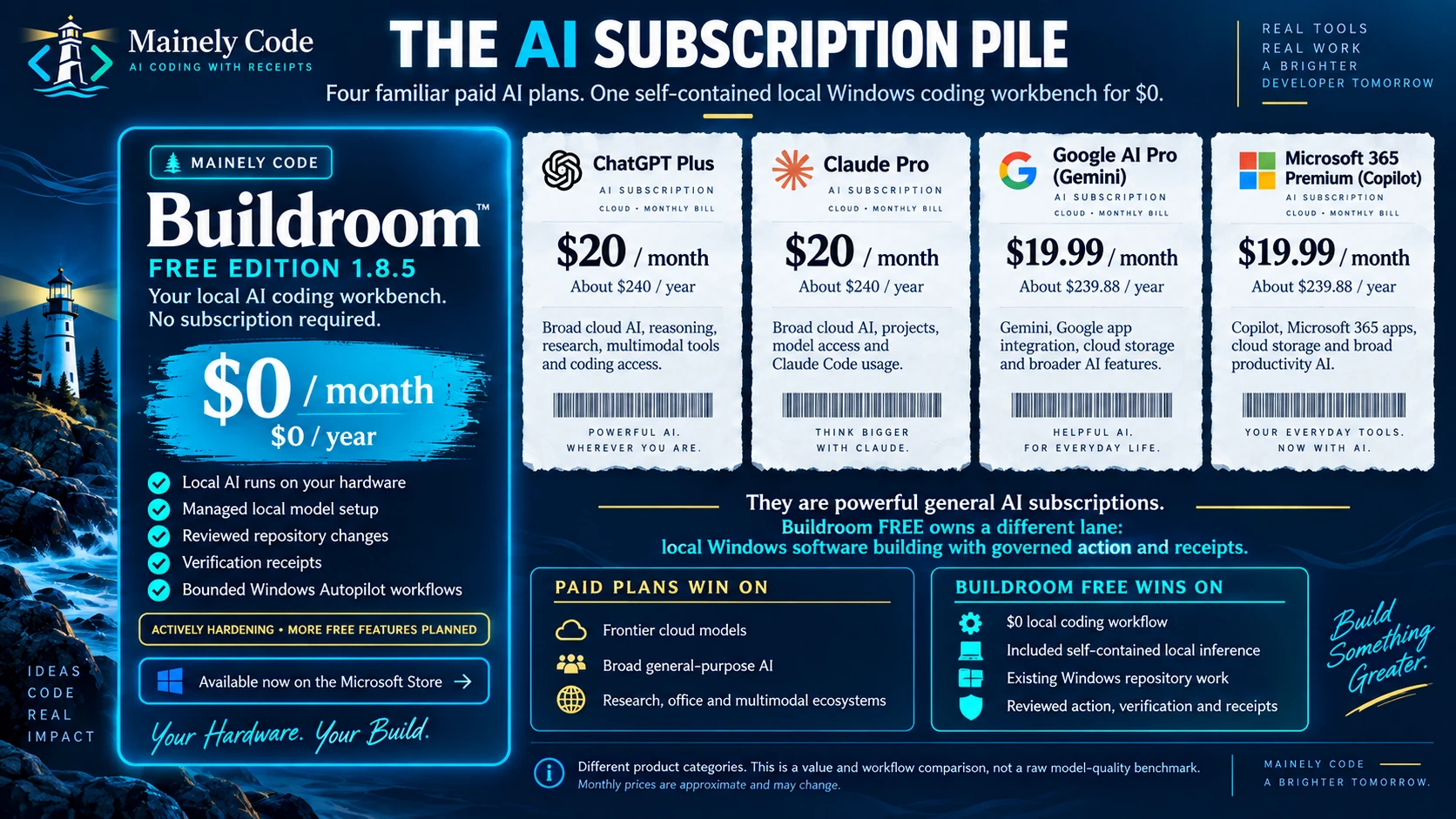
Four familiar general AI subscriptions are placed beside a self-contained local Windows coding workbench at $0. The graphic makes the category difference explicit: broad cloud AI versus local software building with governed action and receipts.
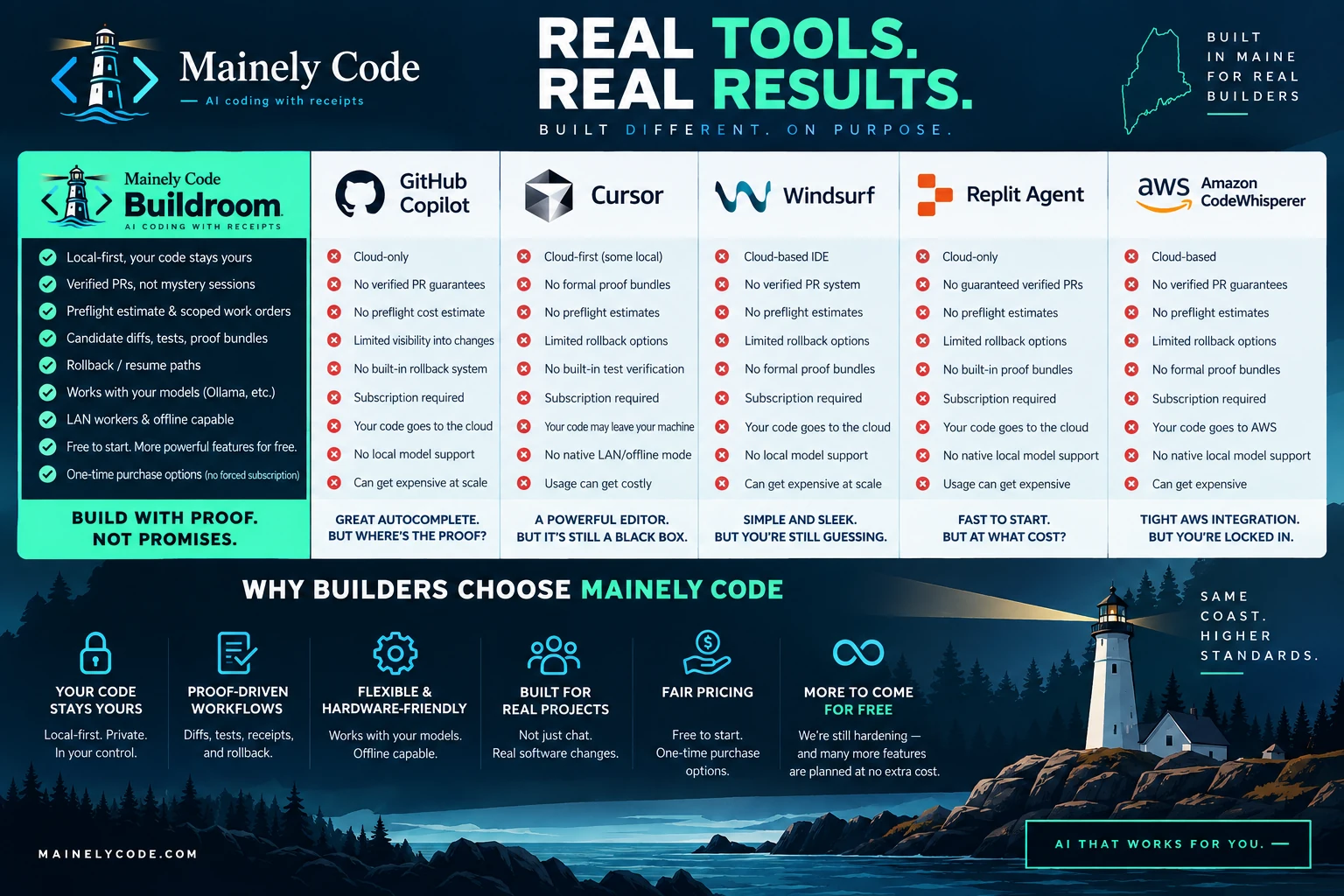
A broad campaign comparison places Buildroom beside recognizable coding products and emphasizes local control, proof-driven workflow, preflight scope, candidate diffs, verification, rollback, and receipts.
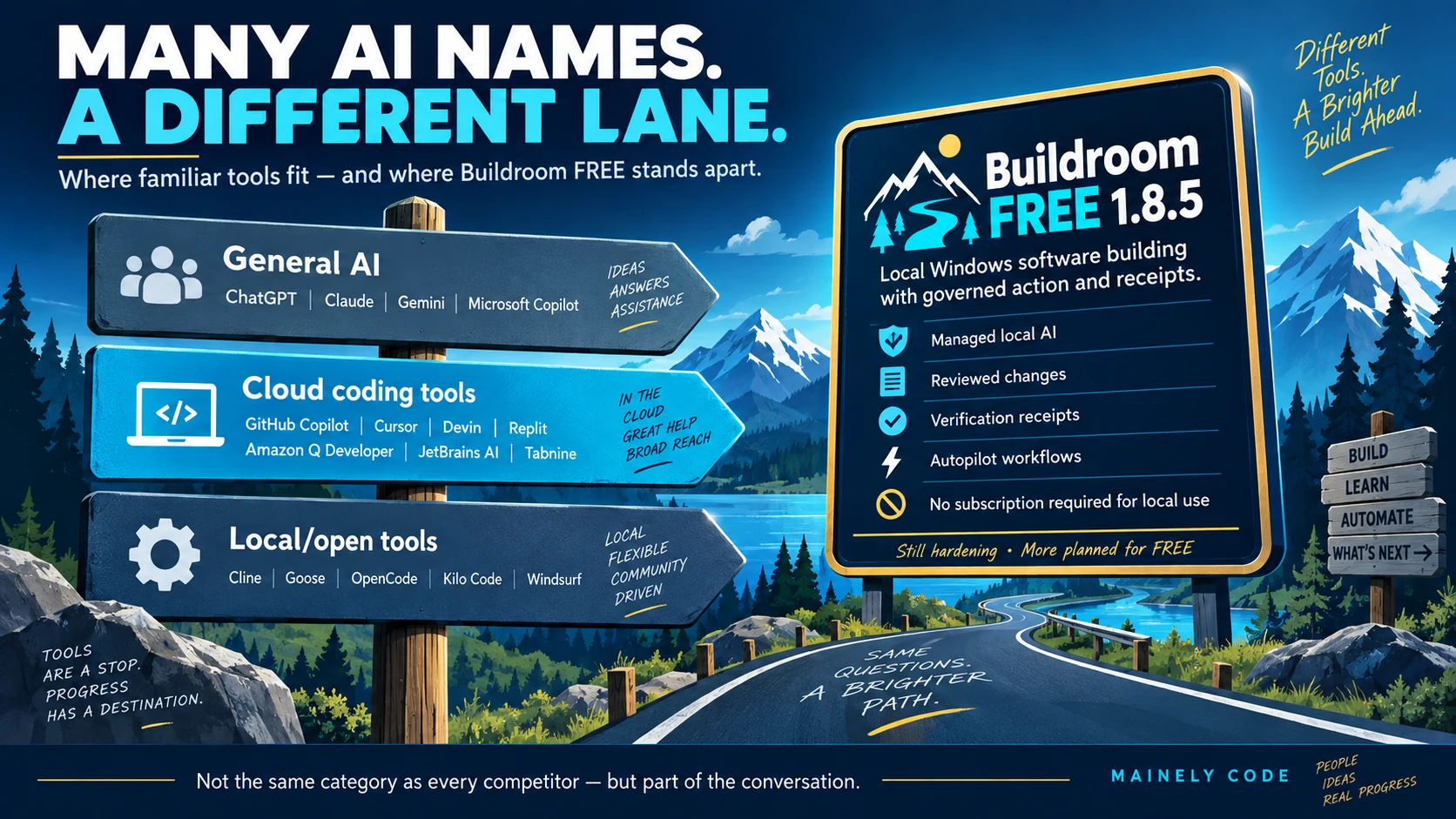
A Maine-roadway market map separates general AI, cloud coding tools, and local or open tools, then shows the lane Buildroom FREE occupies: local Windows software building with governed action and receipts.
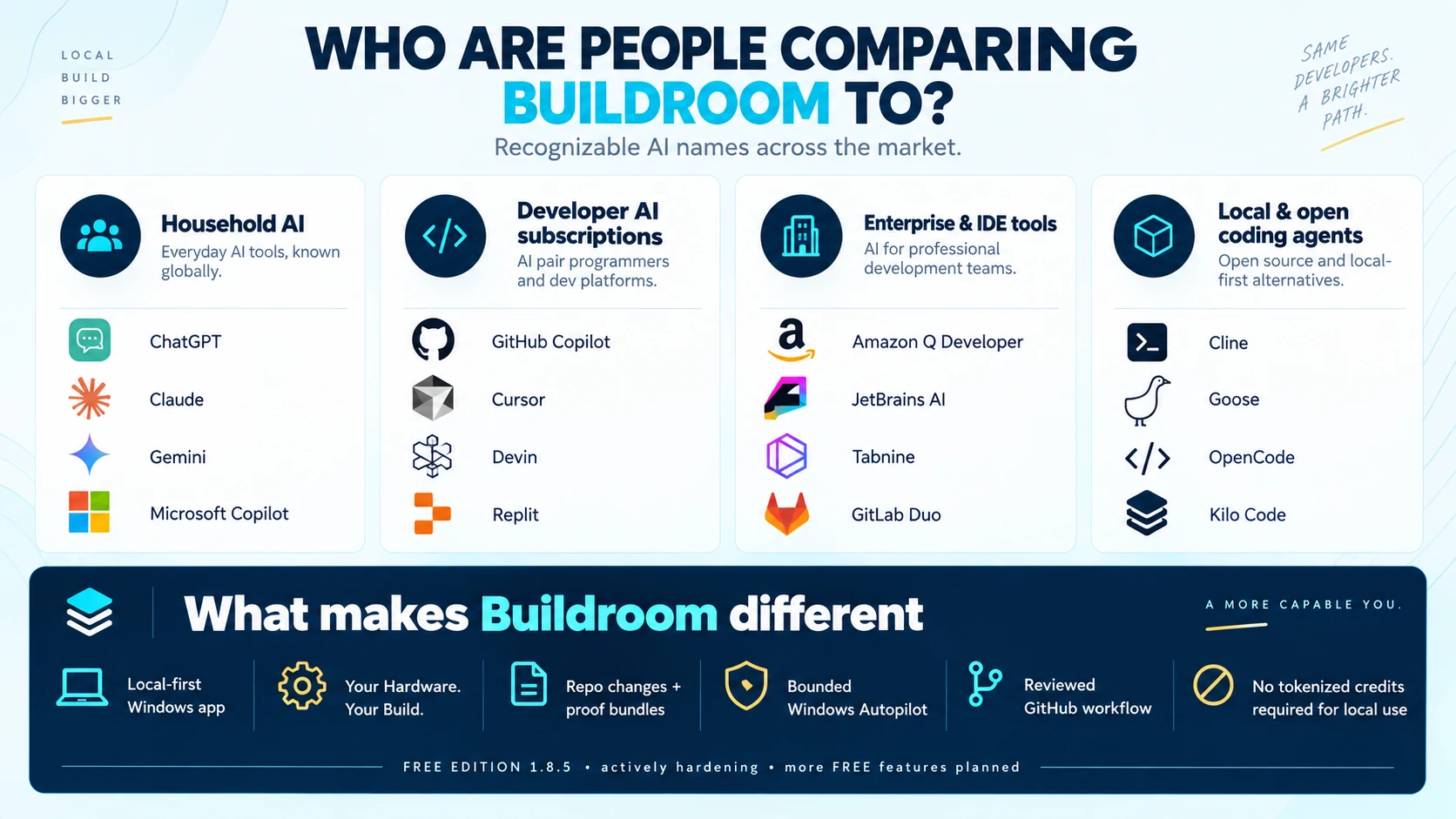
A clean category index groups household AI, developer subscriptions, enterprise and IDE tools, and local or open coding agents before summarizing the Buildroom differences.
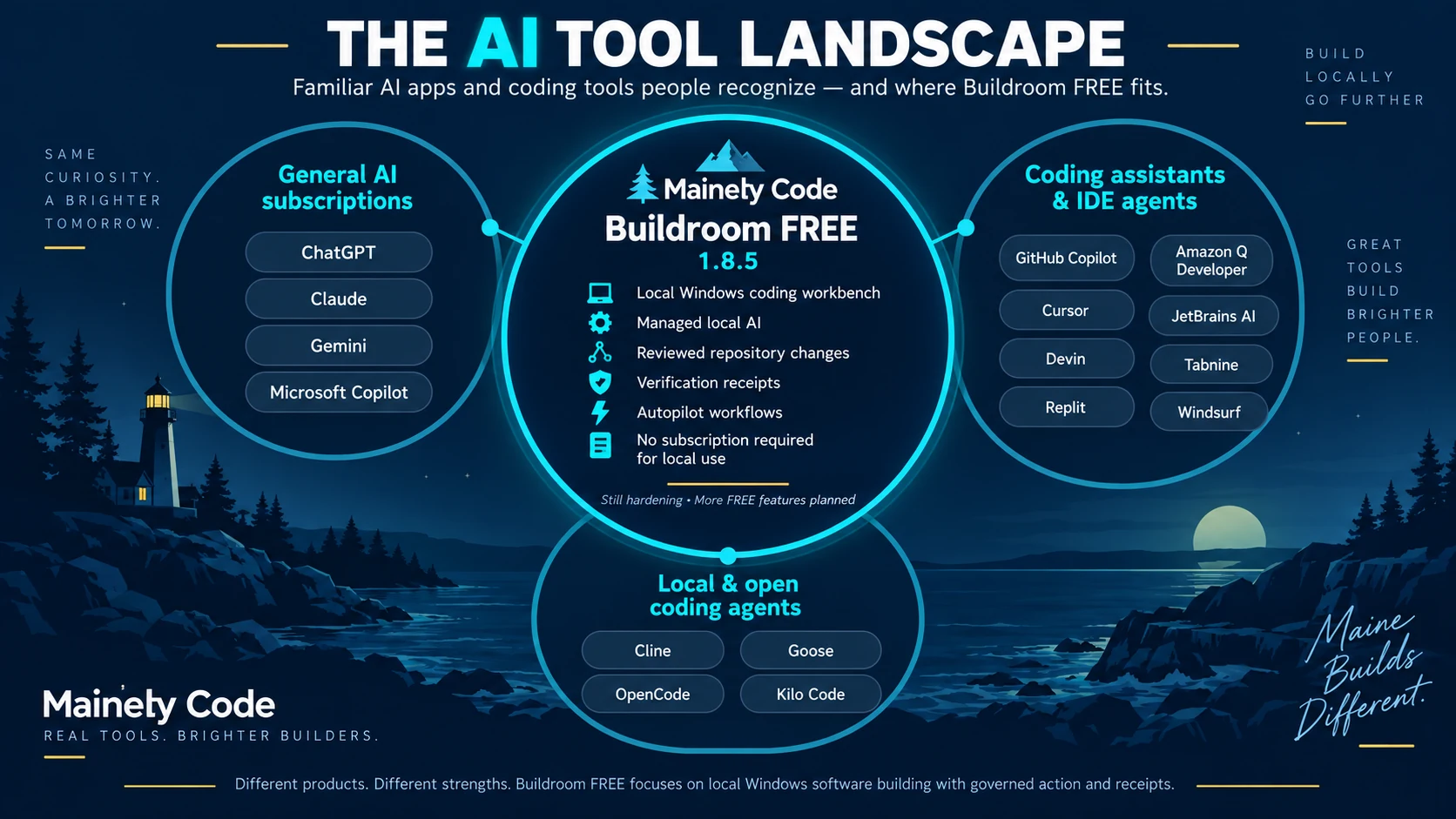
A three-circle landscape places Buildroom FREE between general AI subscriptions, coding assistants and IDE agents, and local or open coding agents while preserving the fact that these products have different strengths.
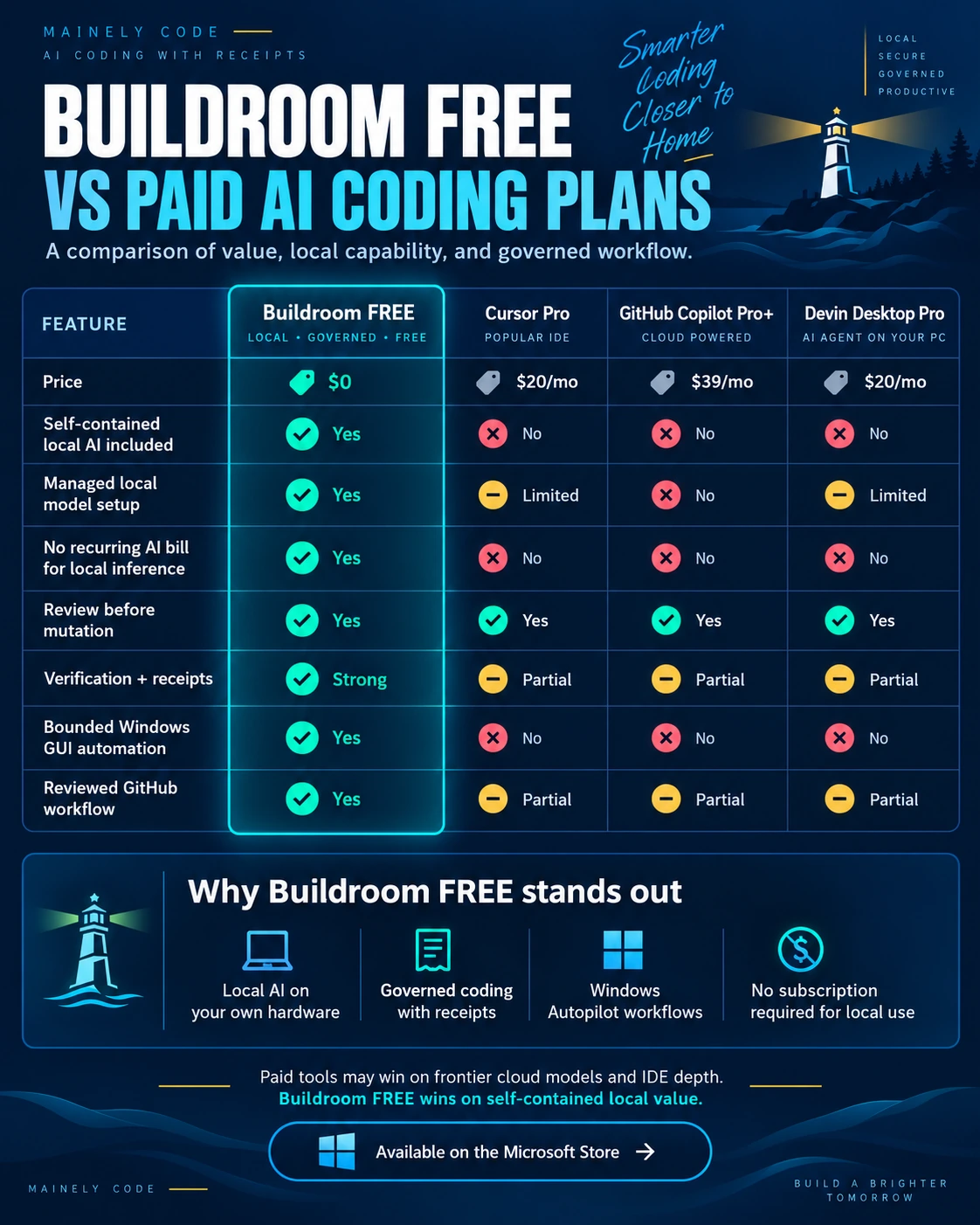
A feature-and-value snapshot compares price, self-contained local AI, managed setup, local inference billing, review, receipts, bounded Windows automation, and reviewed GitHub workflow.
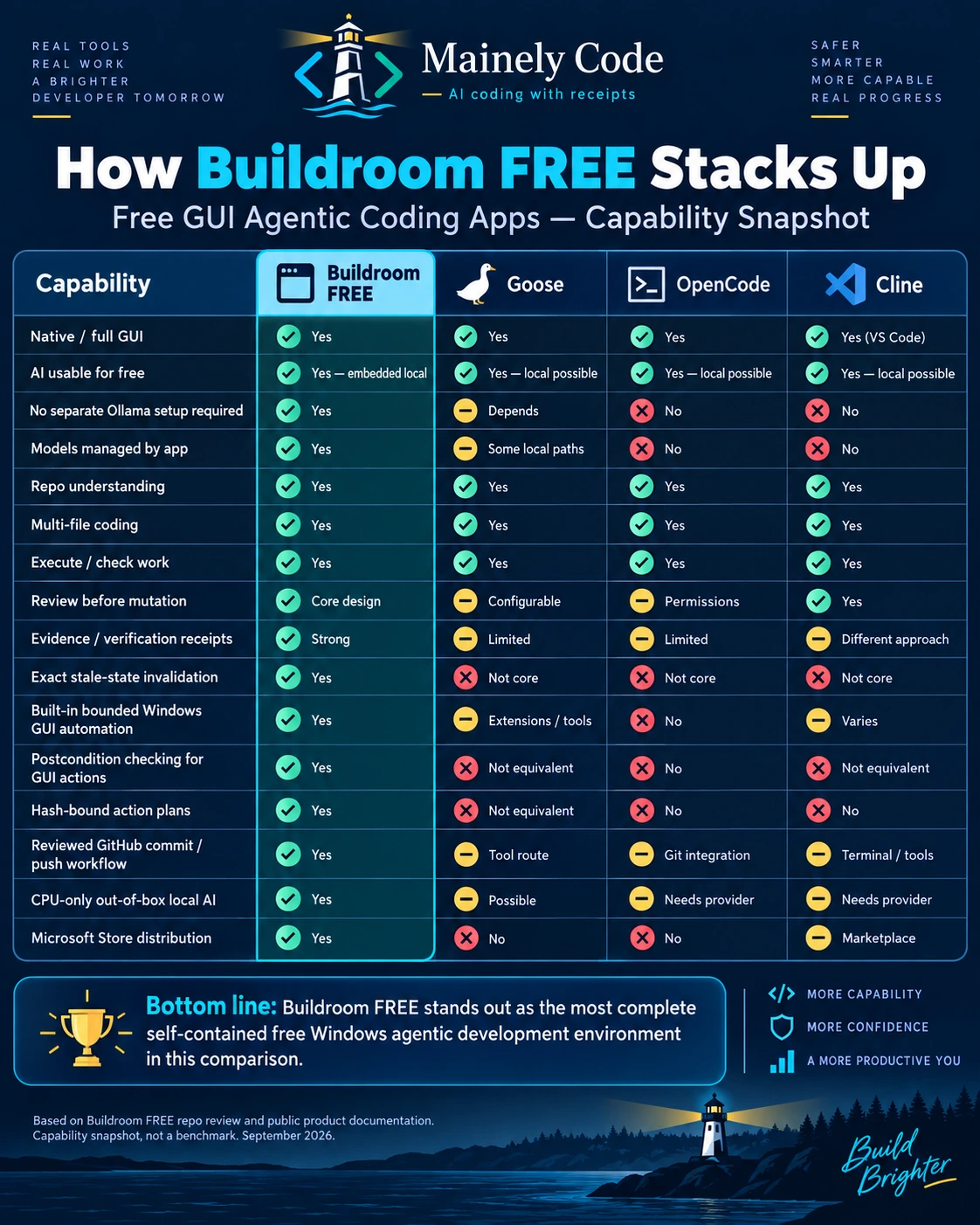
A capability snapshot compares the complete application experience: managed local AI, repository work, review, verification, stale-state protection, Windows automation, GitHub workflow, CPU-only use, and Store distribution.
Capability and value—not raw model IQ. These are Mainely Code campaign graphics based on a September 2026 snapshot. They are not independent benchmarks. Prices, names, ownership, integrations, plan limits, and open-source projects can change. Verify current provider information before purchasing.
Autopilot is not reserved only for the highest tier. The capability is being carried across the Buildroom family, with edition- and release-specific limits.
Buildroom Autopilot is being brought to every edition. In FREE, exact controls and availability remain release-specific, but the design keeps scope, authorization, review, and receipts visible.
Not just more powerful technology.
More people able to use it.
Make state-of-the-art AI accessible, usable, and approachable for Everyone.Mainely Code · Built in Maine
Yes. Mainely Code Buildroom—FREE EDITION is available for $0 on the Microsoft Store . You do not need a paid Buildroom edition to start using it. Your PC, storage, and electricity are still your own resources.
Yes. Mainely Code Buildroom—FREE EDITION 1.8.5 includes 3B, 4B, 7B, and 8B local model choices today. The best fit still depends on compatible hardware, available memory, and the task. Check the Microsoft Store listing and the installed release notes for the exact model catalog and requirements.
The “B” stands for billions of model parameters. These numbers describe model size—not a guaranteed quality ranking. Model design, task fit, context, and the hardware running it all matter. FREE EDITION 1.8.5 identifies its current supported model choices in the app and release notes.
Buildroom is a Windows desktop app. Check the current Microsoft Store system requirements before installing. Model performance depends on available memory, processor, graphics hardware, and workload. Supporting an 8B model does not mean every PC can run it comfortably.
The current FREE EDITION is designed for local AI conversations after the initial setup and model download. Downloads, updates, and any work that explicitly uses online resources still need a connection. Local-first is not a claim that every possible workflow is offline.
Yes. Buildroom Autopilot for Windows is available in FREE EDITION 1.8.5 as an early capability and is still being actively hardened. It keeps the target, reviewed plan, explicit authority, expected postcondition, result, and receipt visible. Check the installed release notes for exact controls and limitations.
Yes. Buildroom Autopilot for Windows is available in FREE EDITION 1.8.5 as an early capability and is still being actively hardened. It keeps the target, reviewed plan, explicit authority, expected postcondition, result, and receipt visible. Check the installed release notes for exact controls and limitations.
Read our practical guide to agentic coding, local versus cloud execution, human approval, and verification receipts.
Start with FREE EDITION. See what you can make with local AI at your side.